To create a new campaign:
Go to your Home or Campaigns section.
Click the Create Campaign button in the upper-right corner.
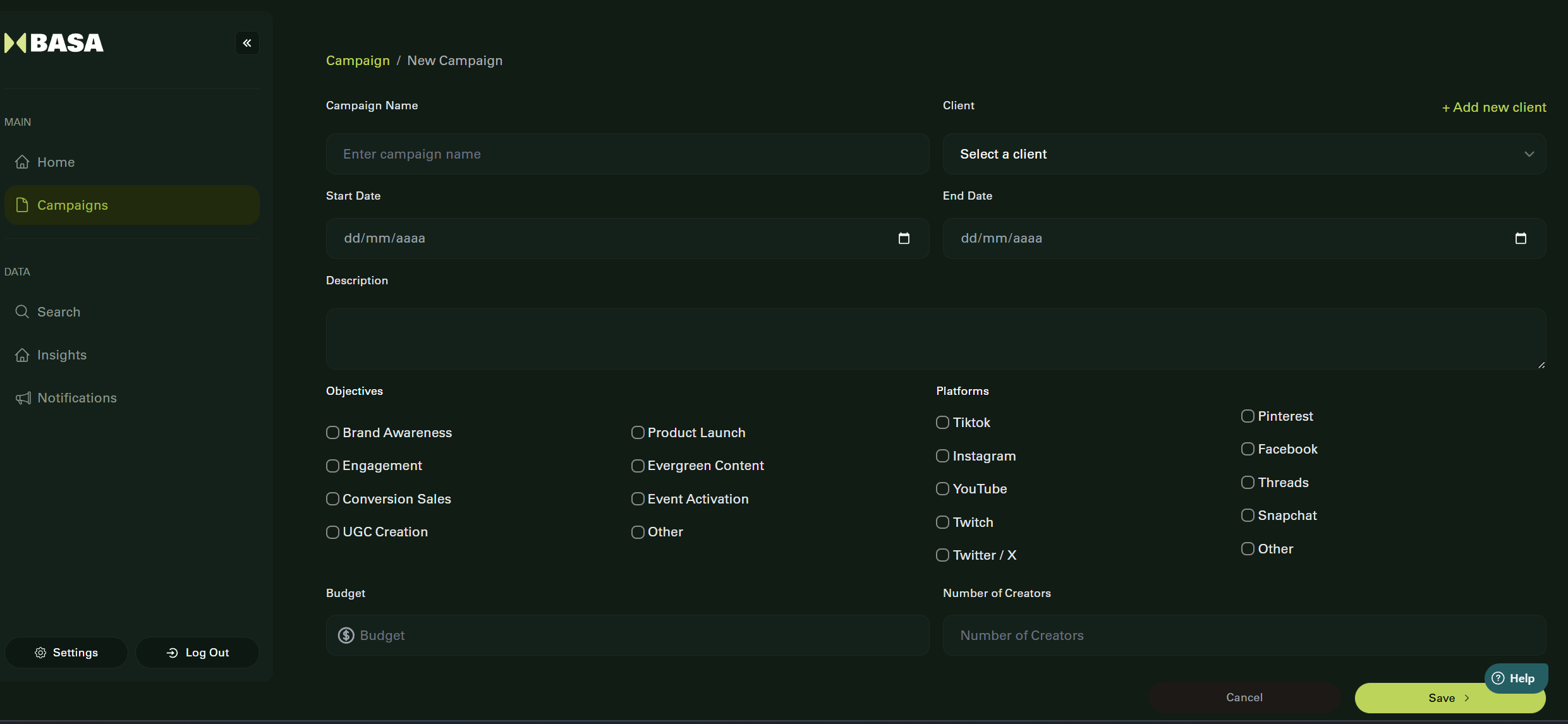
Fill in the campaign form with the following:
Name
Description
Start Date and End Date
Objectives (multiple selection allowed):
Brand Awareness
Engagement
Conversion Sales
UGC Creation
Product Launch
Evergreen Content
Event Activation
Other
Platforms (multiple selection allowed): TikTok, Instagram, YouTube, etc.
Budget
Contractor Capacity
Click Next to proceed to the terms setup screen.
Was this article helpful?
That’s Great!
Thank you for your feedback
Sorry! We couldn't be helpful
Thank you for your feedback
Feedback sent
We appreciate your effort and will try to fix the article