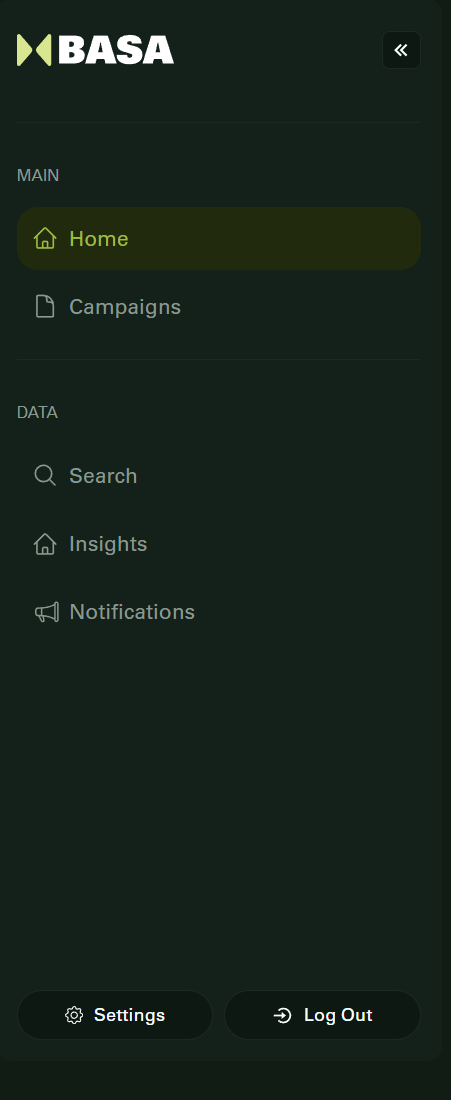
The left-side menu provides quick access to the core sections of the BASA platform. It remains visible as you navigate through the application and includes:
Home: Your personalized dashboard. Contractors see recent campaigns, client lists, and a “Create Campaign” button. Influencers view campaigns available for application and collaboration.
Campaigns: View all campaigns relevant to your role. Contractors can manage active, draft, and completed campaigns. Influencers see the campaigns they have applied to, are negotiating, or have completed.
Search: A powerful tool to look for specific campaigns using keywords, filters, or tags.
Insights: (Coming Soon) This section will provide analytics and performance data related to your campaigns.
Notifications: Stay updated with alerts about campaign status changes, negotiations, application updates, and important announcements.
This intuitive layout allows users to easily move between sections and manage tasks with clarity and efficiency.
Was this article helpful?
That’s Great!
Thank you for your feedback
Sorry! We couldn't be helpful
Thank you for your feedback
Feedback sent
We appreciate your effort and will try to fix the article